
Logitech MX Keypad Offers Custom LCD Control for Creative Professionals
Logitech has launched the MX Keypad, a compact control surface designed to streamline creative workflows in software like Photoshop and Figma. As reported by Creative Bloq, the device features nine customizable LCD keys and context-aware software integration to reduce reliance on complex keyboard shortcuts for digital artists and designers.
Context from Industry Pulse
The introduction of the MX Keypad reflects a growing demand for specialized hardware that bridges the gap between traditional keyboards and high-end creative consoles. By utilizing LCD keys, Logitech is addressing a common pain point in digital design: the steep learning curve of software-specific shortcuts. Creative Bloq highlights that while the device offers significant power through 15 pages of customization, it requires a commitment to setup to be effective. This product positions itself as a versatile middle ground, supporting not just artistic endeavors but also coding and communication tools, making it a broader productivity tool than specialized art remotes that lack context-aware screen-based keys.
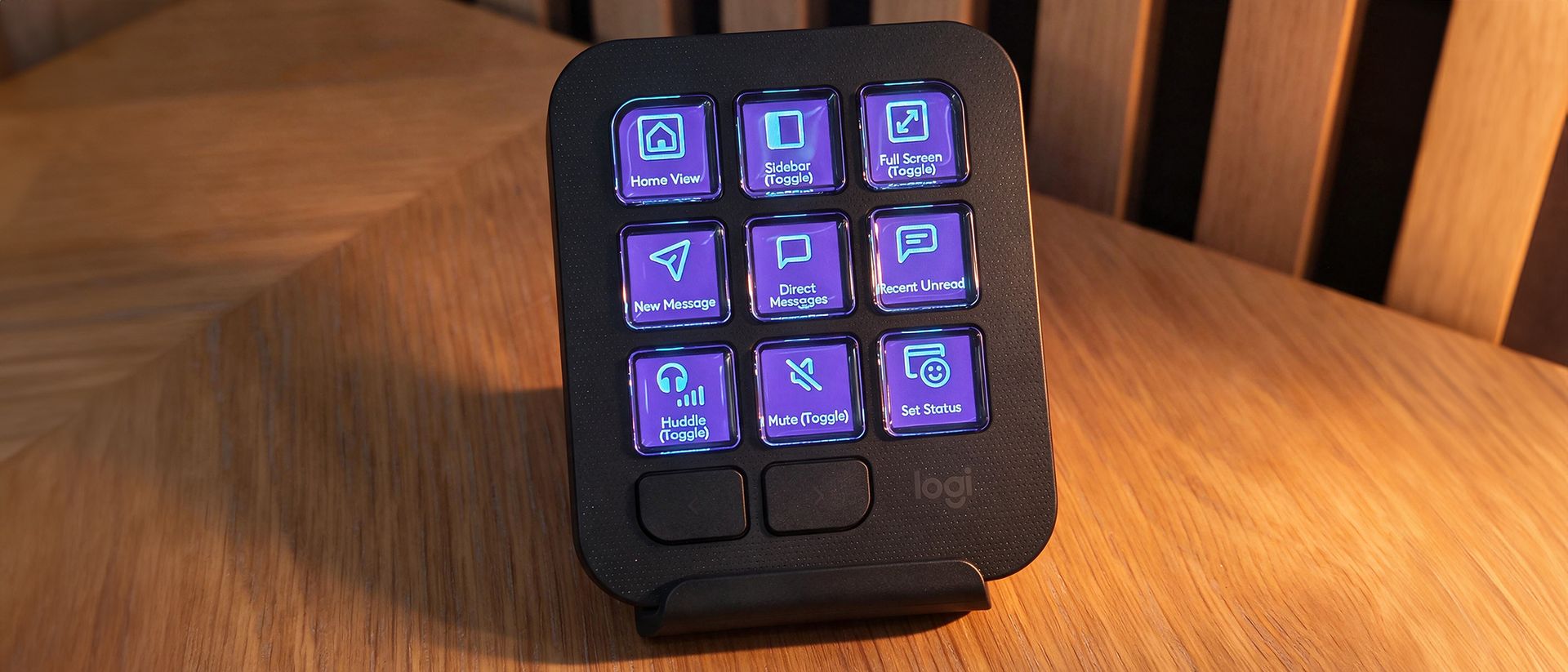
The Logitech MX Keypad enters the market as a dedicated shortcut peripheral within the brand MX line, targeting both professional creatives and general users. According to Creative Bloq, the device features a three-by-three grid of square LCD keys that display dynamic icons based on the active application. This visual feedback allows users to identify assigned functions without memorizing complex macro combinations. The device supports up to 15 pages of shortcuts, providing a total of 135 possible actions per profile.
Integration is handled through the Logi Options+ application, which offers presets for major creative platforms including Adobe Creative Cloud, CorelDRAW, and Clip Studio Paint. Creative Bloq notes that the hardware is context-aware, meaning it automatically switches its button layout when the user moves between different software. This functionality extends beyond art tools to include productivity utilities like Zoom, Slack, and GitHub Copilot.
Physically, the keypad is compact enough to sit alongside a mouse or drawing tablet without dominating desk space. However, Creative Bloq reports some hardware limitations, specifically its reliance on a wired USB-C connection and a lightweight kickstand that can drift during use. The keys themselves offer a soft-push feel reminiscent of vintage electronics rather than the tactile click found in modern mechanical keyboards.
While the device excels with supported software, Creative Bloq indicates that users of niche applications like Rebelle or ArtRage will need to invest time in manual configuration. For heavy Photoshop users, the ability to map specific brushes, layer management, and masking tools to individual visual buttons can significantly increase efficiency. Despite its wired constraint, the device serves as a functional alternative to the remote controls often bundled with high-end drawing tablets.
The Industry Pulse Bottom Line
Logitech MX Keypad is a powerful, if slightly expensive, efficiency booster for creatives. Its success relies on the Logi Options+ ecosystem and the user's willingness to customize layouts for specific software workflows.